

Free UI Theme Generator – Light & Dark Themes From Brand Colors
A brand palette is not yet an interface theme. A usable interface also needs backgrounds, surfaces, readable text, muted content, borders and foregrounds for action colors. The Theme Generator creates a practical starting set from a primary color and an accent, with separate light and dark values and a preview of common interface elements.
The generated values are proposals for a design system, not a promise that every possible component meets accessibility requirements. Review the displayed ratios, copy the variables, and test the actual combinations used in your product. Approved brand colors remain your reference; derived surface and foreground roles help apply them coherently.

How to use the Theme Generator
- Start with the palette saved by another color tool in this browser, or choose a primary color and an accent manually.
- Review the token list to distinguish background, surface, foreground, muted, border and action roles.
- Select Light to inspect the lighter surfaces, text, buttons and card examples.
- Select Dark and compare how the same identity behaves on darker surfaces.
- Read the displayed text-on-background and button ratios, then test additional pairs in the Contrast Checker.
- Copy the CSS variables and adapt their usage to your project’s theme conventions before applying them to production components.
12 key features
- Primary brand-color picker.
- Independent accent-color picker.
- Previously saved browser palette as a starting point.
- Separate light-theme values.
- Separate dark-theme values.
- Hue-tinted page backgrounds.
- Surface and foreground tokens.
- Muted-text and border tokens.
- Primary and primary-foreground pairing.
- Accent and accent-foreground pairing.
- Live navigation, heading, button and card preview.
- Copyable CSS for both :root and .dark.
Raw palette colors versus semantic design tokens
A raw token names a value, such as brand-blue. A semantic token names its purpose, such as primary or foreground. Components should usually depend on the purpose: a button can use primary and primary-foreground without knowing whether the current brand is blue, green or red. This separation makes it easier to maintain several visual themes without rewriting every component.
The generator supplies a compact semantic starting set. It does not create every token a complex product needs, such as success, warning, destructive, selected states, charts or focus rings. Add those roles deliberately and document which foreground accompanies each surface. Avoid using one accent for every unrelated meaning simply because it is available.
How the light and dark values are derived
Background and text colors use the primary hue with adjusted HSL saturation and lightness. The light version combines a pale tinted page background with a white surface, while the dark version uses deeper tinted backgrounds and surfaces. Muted text and borders have their own values rather than inheriting the action color.
A sufficiently dark primary color is lightened for the dark-theme proposal so that it remains visible against deep surfaces. Button and accent foregrounds are selected separately using contrast. These derived values belong to the proposed theme; they do not replace the source brand palette or imply that a published logo should be recolored.
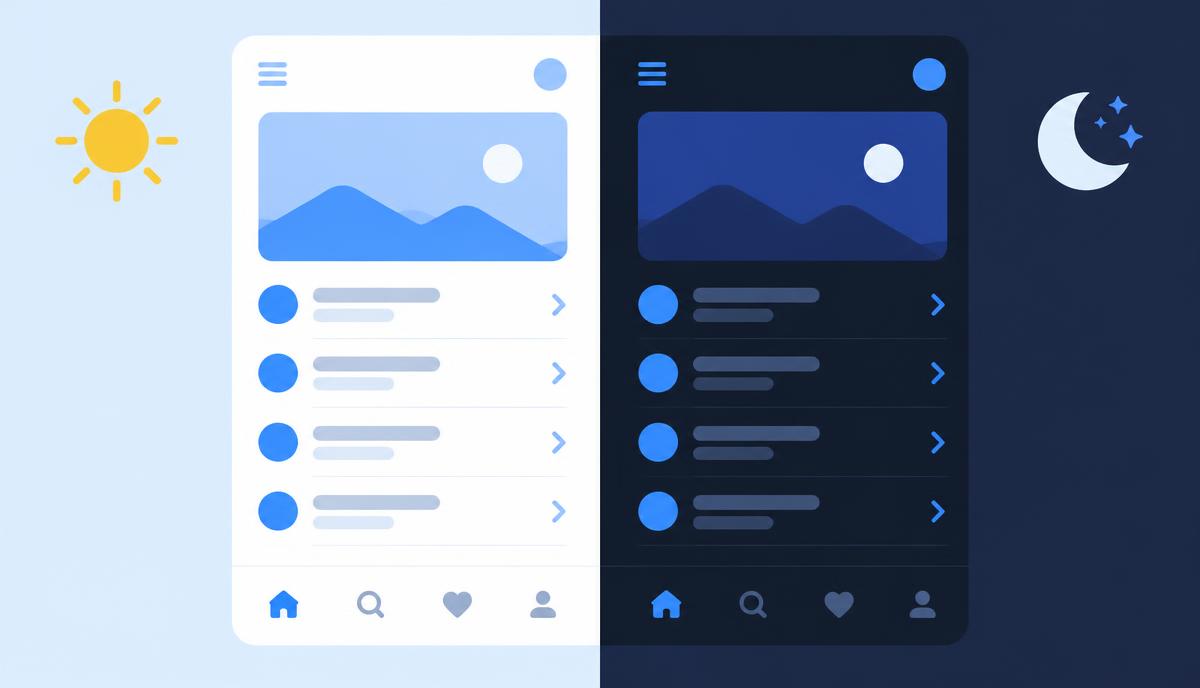
Dark mode is more than inverting white and black
A straight inversion can make photographs unnatural, destroy visual hierarchy and create harsh bright areas. Instead, compare the difference between the page background and raised surfaces, keep primary text comfortably readable, and use muted text for genuinely secondary content. Important instructions should not become low-contrast merely because they are less prominent.
Test logos, illustrations, shadows, dividers and controls in both modes. A transparent logo designed for a pale background may need its approved light-text variant on a dark surface. Consider the system color preference and the user’s choice when implementing a mode switch, but keep that behavior separate from the exported color values.
Integrating with CSS, Tailwind and component systems
The exported :root block holds light values; the .dark block holds dark values. Those selectors define variables but do not add a switch or automatically connect them to every component. A declaration can reference a token with var(--background), provided the token name and expected value format match the surrounding stylesheet.
Tailwind and shadcn-based projects differ in how they map theme variables. Some expect full color values, others expect HSL channels, OKLCH values or named aliases. This export uses HEX values. Inspect your existing conventions and adapt the mapping rather than pasting values into an incompatible format. Use the Export Center when you need a raw palette in another file format.
A practical handoff and validation checklist
Designers should attach the generated theme to examples of real content, not only empty boxes. Developers should check long labels, disabled controls, selected states and focus indicators. Marketers can compare campaign pages in both modes, while SEO and content teams should verify that important links and explanatory text remain legible on each surface.
Only two pair ratios are summarized in this preview. Muted text, borders, accent text, controls and any additional states still need their own checks. Record decisions as semantic roles and test against representative screens. The result is strongest when used as a repeatable starting point followed by an explicit accessibility review.
Continue your workflow
- Logo Extractor — Upload a logo and get its exact brand colors in HEX, RGB and HSL.
- Palette Generator — Create harmonious palettes, lock, shuffle and export.
- Contrast Checker — Test any color pair against WCAG AA and AAA.
- Export Center — Export colors as CSS variables, Tailwind, SCSS or JSON.